ERP Products for a more connected business
CorporateServe helps organisations evaluate ERP products for connected finance, operations, supply chain and reporting. Our portfolio includes SAP Cloud ERP, Microsoft Dynamics 365, Epicor Kinetic and Campus Management. The right platform depends on your processes, industry, existing systems and growth plans.
ERP platforms for different business needs
SAP Cloud ERP
SAP Cloud ERP and SAP S/4HANA for organisations seeking an integrated enterprise resource planning platform.
Microsoft Dynamics 365
Microsoft Dynamics 365 for organisations looking to connect business applications and operational workflows.
Epicor Kinetic
Epicor Kinetic for manufacturing businesses that need ERP capabilities aligned to production and operations.
Campus Management
Campus Management for education organisations managing campus and institutional processes.
Choose with your requirements in view
ERP selection should start with business requirements, not a product checklist. Consider the processes that need improvement, data and system integrations, reporting needs, user roles and the level of change your organisation is ready to manage. A clear scope helps teams compare options and plan implementation realistically.
Begin with the workflows your teams use every day. Document where information is entered more than once, where approvals slow down and which reports require manual preparation. Separate essential requirements from optional improvements, then use the same examples when reviewing each shortlisted platform. This gives business and IT stakeholders a shared basis for comparing ERP products.
Review the information that needs to move between your existing systems and the selected platform. Identify data owners, agree which records are reliable and clarify who will approve migrated information. Include finance, operations and reporting users in the discussion so that implementation priorities reflect practical day-to-day needs, not only technical requirements.
01
Processes & priorities
02
Data & integrations
03
Reporting & user roles
04
Implementation readiness
Consulting, implementation and support
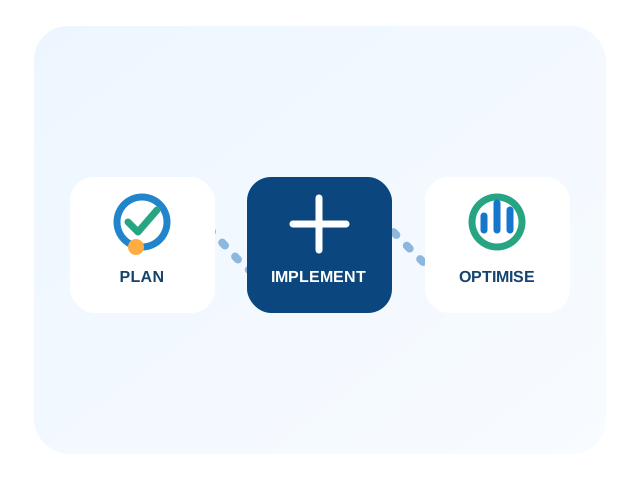
CorporateServe provides ERP consulting, implementation, upgrades, post-implementation support and optimisation across its ERP portfolio. We work with stakeholders to understand priorities, plan the implementation approach and support the solution through its lifecycle. Product capabilities and scope vary by platform and project requirements.
A product demonstration is most useful when it follows a real business scenario. Prepare a small set of representative workflows and ask how each would be handled, which configuration is needed and where another application or integration is involved. Record unanswered questions and compare the proposed scope rather than assuming that every demonstration feature is included in the same package.
Planning should also cover people and operating responsibilities. Identify who will make process decisions, test the configured solution and help colleagues learn new workflows. Agree how issues will be recorded during rollout and how support will continue after go-live. These discussions help connect product selection with an achievable implementation plan.
Before making a decision, review the proposed modules, deployment approach, integrations, data migration and support arrangements together. Confirm responsibilities and assumptions with the project team. For current vendor information, consult the official
SAP ERP overview and Microsoft Dynamics 365 portfolio, alongside CorporateServe’s product pages. Licensing, capabilities and availability should be confirmed for your selected solution.
Contact CorporateServe to discuss ERP products and implementation options for your organisation.